
How Hub360 Works — Overview
If it moved, it's recorded. GPS, photo and timestamp at source — not filled in later.
Hub360 captures every material and waste movement at the vehicle — lift and drop, GPS-verified, photo-backed, timestamped — across five workflow types. One archive. One defensible record. Exportable for audits, valuations and compliance in under 2 minutes.
The core principle
Capture at source. Verify in transit. Export on demand.
Every movement goes through the same five-stage process — regardless of whether it's construction waste, road planings, aggregates, ready-mix or a manufacturer delivery. Evidence is created at the vehicle, not reconstructed at the office.
Load type, quantity, GPS and photo confirmed at collection — in under 60 seconds
›Portal shows every load in transit — site and office see the same view simultaneously
›GPS, photo and e-signature captured at drop — verifies the load went to the right place
›Tamper-evident, timestamped chain-of-custody — 7-year compliant cloud storage
›CSV, Excel or PDF audit pack — generated in under 2 minutes for any request
53 hrs
Admin saved per week
Moyglare Sand & Gravel — up to 53 hours per week recovered from paper-based admin
~50%
CO₂ reduction
Mannok — approx. 50% cut in delivery-related CO₂ on targeted lanes across 5 business units
<2 min
Audit pack generation
Complete Article 27/28, DoWCoP or chain-of-custody export — ready in under 2 minutes
7 days
To go live
Moyglare went from 50 years of paper to fully digital — every driver live within 7 days
The workflow in detail
What happens at every stage — and what evidence it creates
Selects job, load type and quantity. The app records GPS coordinates, timestamp and vehicle details automatically. Driver takes a photo of the load before departure.
Site manager and office team see the load in transit on the live map. No phone calls to check status. Capture happens at the moment of movement — retroactive entry is not possible.
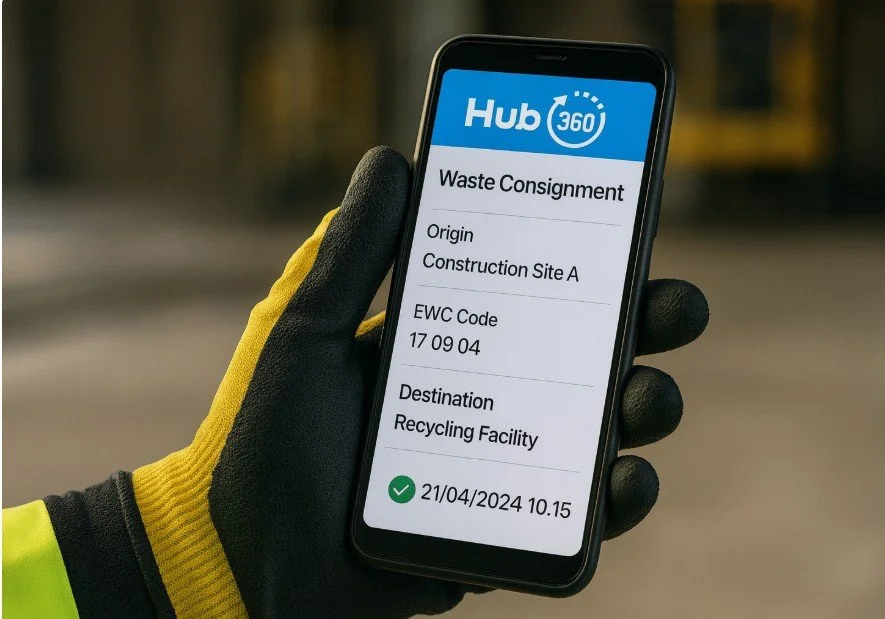
GPS stamp, photo and e-signature at the receiving location. For waste, facility permit and EWC codes confirmed. For aggregates, weighbridge ticket attached. For ready-mix, water additions and idle time logged.
The completed movement record is locked with a change log. Searchable by date, site, driver, material type or vehicle. Role-based access for QS, finance, site and client.
Valuation pack, Article 27/28 bundle, chain-of-custody trail, DoWCoP verification — all one-click exports in CSV, Excel or PDF, filtered by date, site, material or subcontractor.
The Tipper App captures records locally when there's no signal — quarry dispatch points, tunnel approaches, remote sites. Records sync automatically when connectivity is restored. Nothing is lost. Nothing is filled in later.
Own fleet, subcontractors and third-party hauliers all use the same app. Their records feed your archive — with your branding, your permissions and your audit trail. No separate systems. No chasing paper dockets.
Verified origin and destination — not estimated, not approximate
Exact time of collection and delivery — ISO 8601 standard
Load condition, gate arrival and delivery confirmation — geo-tagged
Driver, site manager or receiving operative — captured on device
Registration, driver ID, haulier — linked to every movement
Origin site, destination facility, permit reference — for every load
Workflow types
Five movement streams. One standard process. One archive.
Each workflow type has its own dedicated page with a policy & reporting map, copy-ready tender wording and full workflow detail. All five share the same underlying evidence standard.
Verified tracking to permitted facilities
Chain-of-custody for every C&D waste movement — mixed skips, concrete, timber, metals, plasterboard and hazardous streams. Article 27/28 bundles in one click.
- EWC/LoW codes and stream classification at source
- Facility permit reference and acceptance confirmation
- One-click Article 27/28 and recovery statistics export
- Rejections and contamination captured with photos
Milling, movement and reuse — end to end
Tracks planings from milling to temporary holding area to reuse or licensed facility — with GPS-verified chain-of-custody at every leg. TII circular economy verification built in.
- Reuse-on-project vs off-site disposal clearly evidenced
- Weighbridge ticket and contamination check captured
- One-click GPP/circularity and Article 27/28 export
- Monaghan County Council N2 — live reference project
Quarry to site — end-to-end traceability
Traceability for stone, sand and fill from weighbridge dispatch at quarry to GPS-confirmed arrival on site. Eliminates missing load disputes and gives QS verified quantities before every valuation.
- Weighbridge ticket attached and reconciled per load
- Multi-drop runs with per-stop GPS and signature
- Dispute evidence available within minutes
- One-click export for duty-of-care and Scope 3
Plant to pour — with water additions and idle time
Plant-to-pour tracking with water additions, idle time and washout captured per truck — giving QS and technical teams a complete record of every mix delivered and evidence of pour timing.
- Water addition and slump captured at delivery
- Idle time and washout recorded per truck visit
- Plant dispatch and pour GPS-stamped and time-verified
- Batch records and mix spec attached per delivery
Digital proof-of-delivery — shortage and damage at source
ePOD for blocks, precast, roof tiles, insulation and all site-delivered products — shortage, damage and substitution captured at receipt. Eliminates disputed deliveries and reconciliation gaps.
- Shortage and damage captured at point of receipt — not later
- Product substitution and non-conformance flagged immediately
- Delivery note reference and supplier details per load
- One-click export for invoice reconciliation and QS review
Mandatory — October 2026
UK & Northern Ireland
DWTS · DoWCoP · WM3 · U1
DWTS-ready before October 2026
WM3-assisted e-dockets, DoWCoP verification packs, U1 counters and a 4–6 week pilot — for waste receiving sites that must be digital before the mandatory deadline.
- DWTS staging queue — submit when receiving site goes live
- WM3 code lists and hazardous flags on device
- DoWCoP mass balance ledger and Verification Report
- U1 counters — warn at 80%, block at 100%
What you get out
Every output your QS, client, auditor and regulator will ask for
Movement records by period, site and material — quantities and GPS evidence structured for QS review
Chain-of-custody, permit refs, EWC codes and load photos — export-ready for EPA submission within 24 hours
Reuse quantities per material stream — verified GPS records for GPP and circularity reporting
Actual emissions per movement — loaded and empty trips, broken down by material type and route
Searchable, timestamped per-project record — respond to any query in minutes, not days
Hub360 records reconciled against weighbridge tickets — for finance and QS sign-off
Mass balance, QP sign-offs and photos compiled automatically — UK and NI earthworks
All exports in standard formats — feeds directly into existing BI, finance and EAM systems
Who uses Hub360
Every role gets what they need — from the same record
- Simple capture — works offline
- No paperwork, no calls to office
- Photos and GPS captured automatically
- Live load status — every vehicle, every job
- Exceptions surfaced immediately
- No end-of-day paper collection
- One-click export — quantities, GPS, photos
- Disputes resolved in minutes
- Invoice reconciliation without paper chase
- Read-only access to project archive
- Article 27/28 and GPP bundles on request
- FOI-ready — searchable and timestamped
Mandate it across your supply chain
Require the capability in your contract — vendor-neutral, procurement-safe.
Each workflow page has copy-ready tender wording — specifying the capability required (GPS, photo, chain-of-custody, 24-hour export) rather than a product name. Procurement-safe and ready to drop into your contract or tender document.
Hub360 provides a vendor-neutral contract clause for developers and main contractors who want to standardise evidence across their whole supply chain — subcontractors, hauliers and own fleet — without naming a specific product.
Next step
See it running on a live project — 20-minute demo.
We'll walk through the capture workflow, the portal and the export pack your QS and audit team would receive — using a real project scenario matched to your material streams.